get.chat Inbox Web App
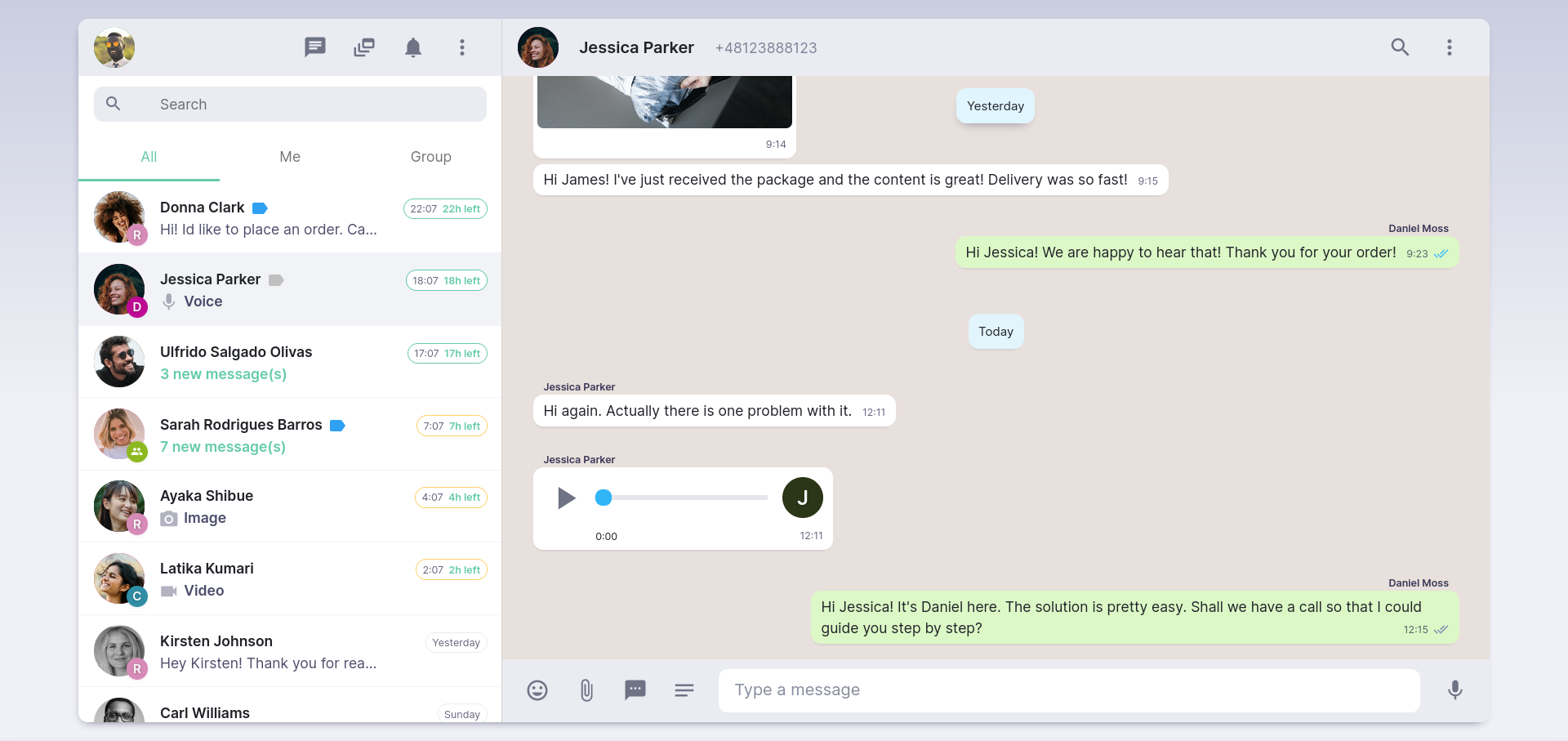
get.chat Inbox Web App is a place where you communicate with WhatsApp Users using the Inbox opened up inside your web browser on desktop devices.
Frequently Asked Questions
What is WhatsApp team inbox?
get.chat’s WhatsApp Team Inbox or the Web Inbox, is a graphical user interface for you and your team. The Web Inbox is technically a frontend of the Integration API. It allows you to have multiple user access when it comes to the sending and receiving of your WA Business Account Messages. In simple terms, the Web Inbox is a collaborative inbox that gives multiple team members the ability to respond to clients over WhatsApp through a shared dashboard.
How can I start a Chat with a WhatsApp User that is not yet on my list?
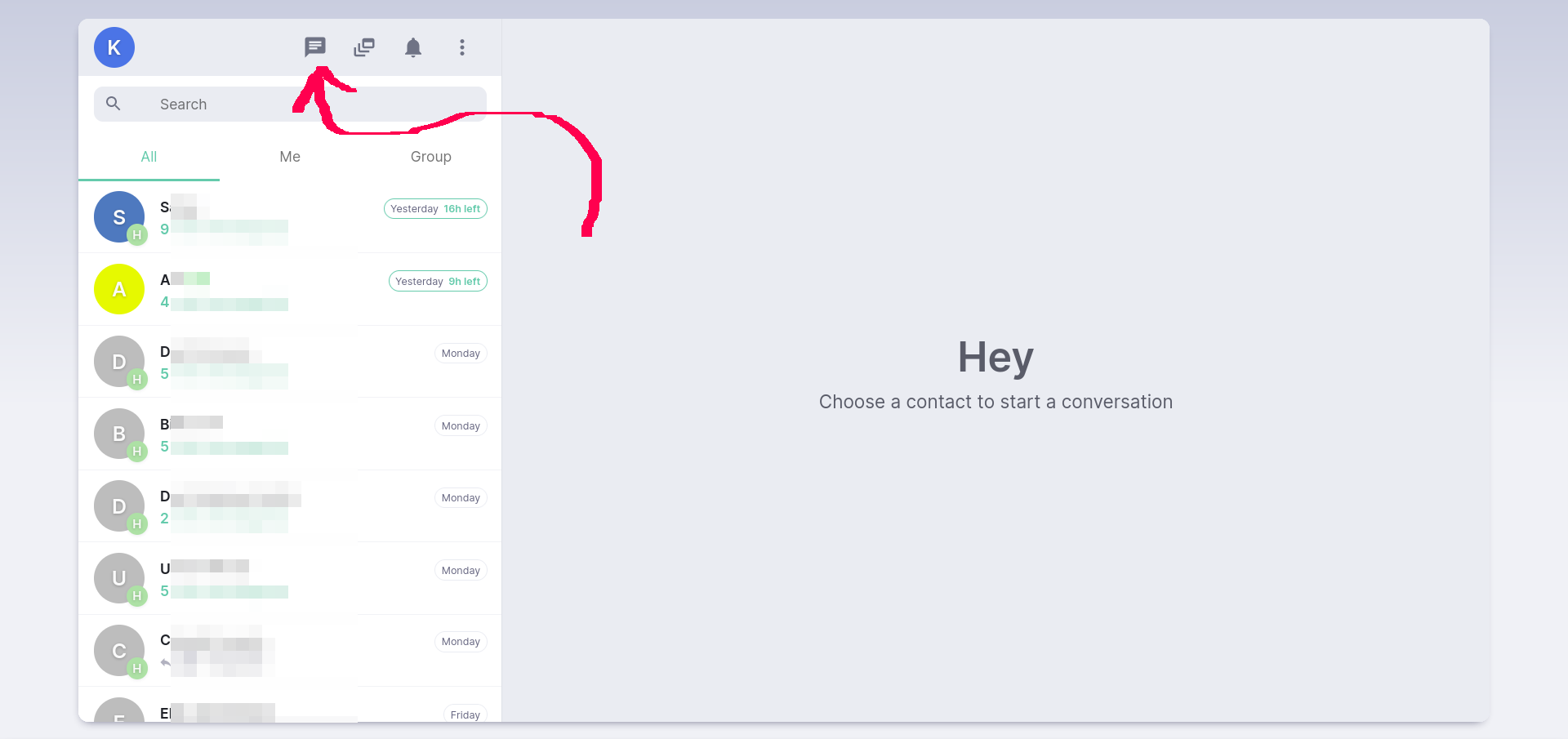
Step 1: Use the “New chat” button on the top section of the Chat List view:
Step 2: Click on the “Start a chat with a phone number” button:
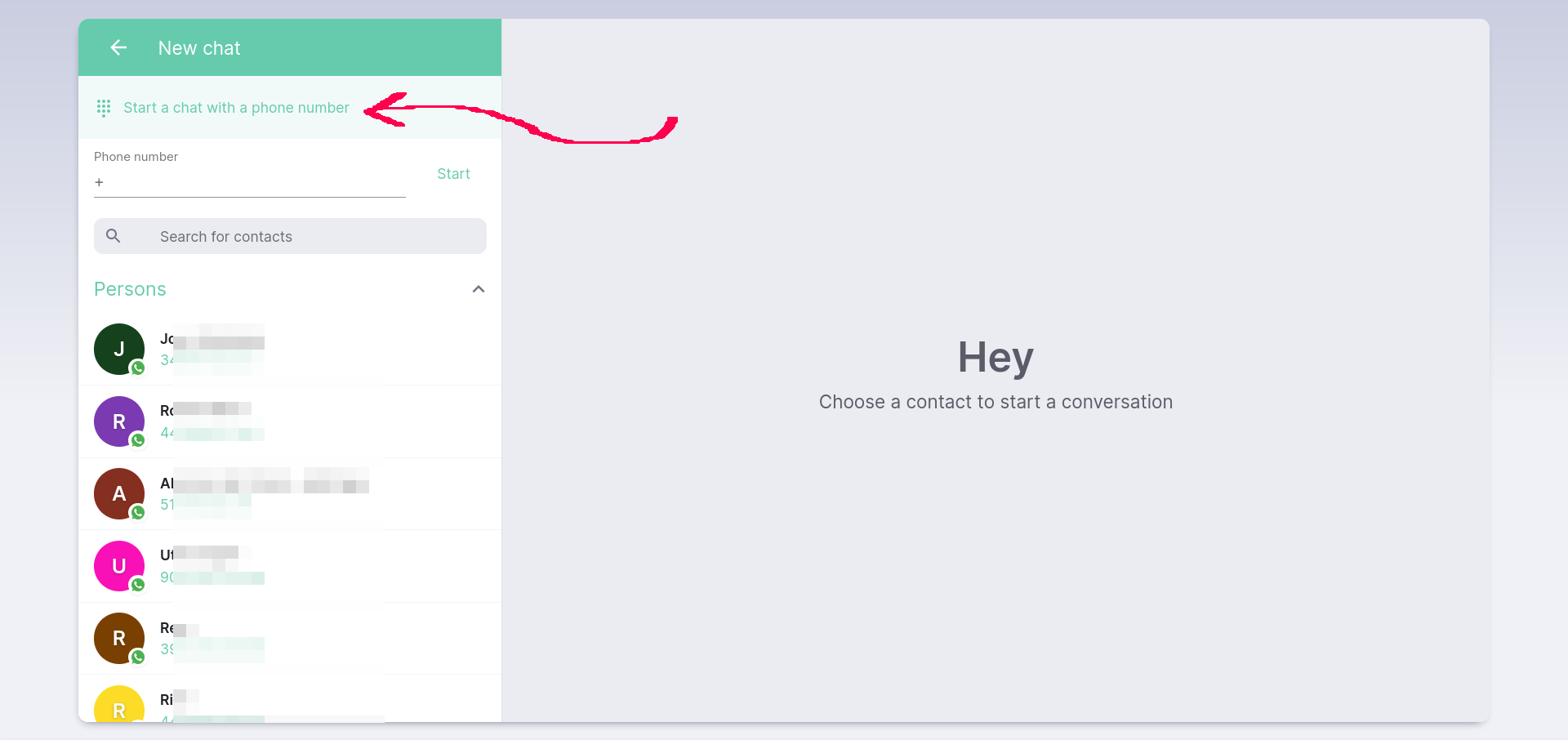
Step 3: Type the phone number into the input field and hit “Start”.
Done! If this WhatsApp User does exist, you can now start a new Chat using a Template Message (Regular messages require 24h Customer Care Window).